
How to Use ElementsBoost With Your WordPress Cache Plugin
Content reviewed September 26, 2026 · Free 2.0.6 feature scope; Pro availability depends on the installed version and supported action.
ElementsBoost and a cache plugin can handle different parts of performance work. The cache serves a prepared page; ElementsBoost helps diagnose and reduce selected Elementor and WordPress frontend work before that page reaches the visitor.
The main setup risk is overlapping responsibility. Two tools rewriting fonts, images or script timing can make the final output difficult to predict and troubleshoot.
Workflow illustration: the steps to follow, not measured test results.
1. Keep the delivery layer clear
Record which tool provides page caching, CDN delivery, browser-cache headers and compression. ElementsBoost is not a full-page cache or CDN. Leave working delivery features in their existing owner while you investigate Elementor-specific costs.
2. List overlapping features
Check font self-hosting, image delivery, lazy loading, CSS processing and JavaScript delay/defer in every active optimizer. Choose one owner for each job. ElementsBoost compatibility guidance can identify potential conflicts, but the actual public markup and requests determine what is happening.
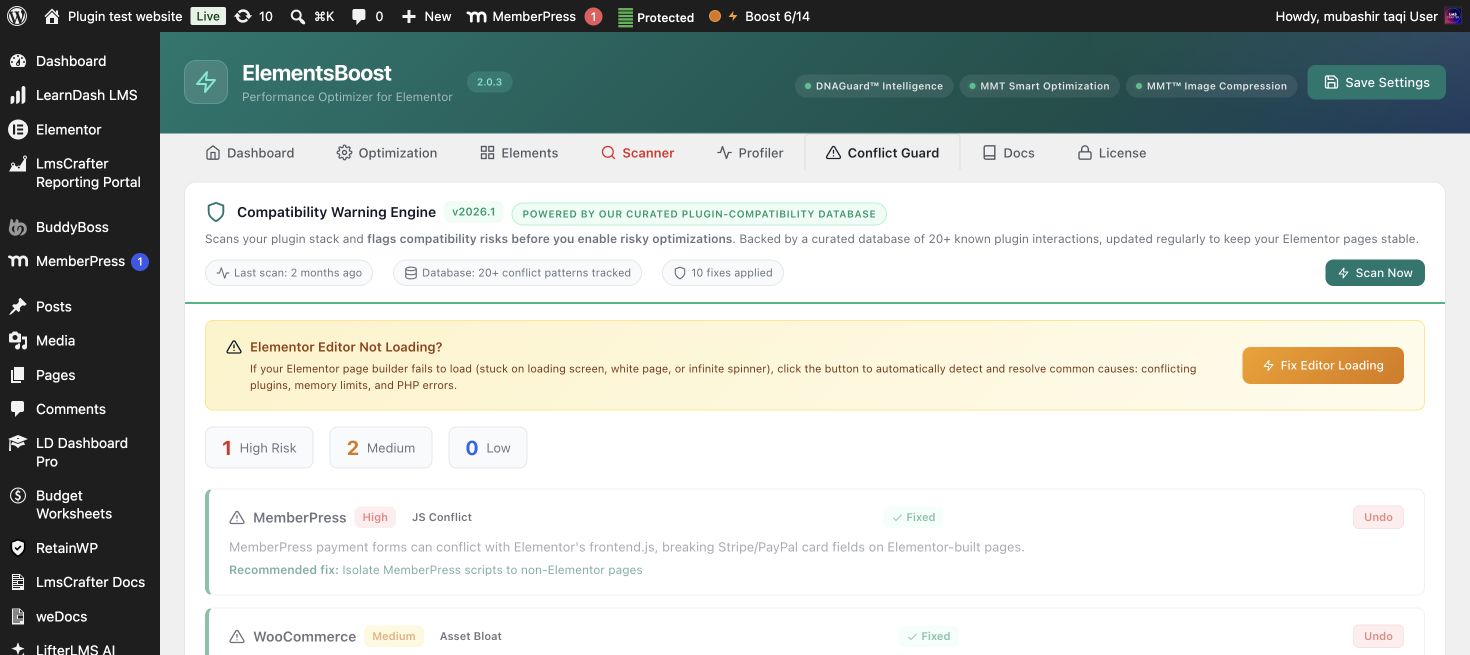
3. Introduce one ElementsBoost candidate
Use a confirmed finding and select the supported control whose scope fits. Preview it where available. Avoid simultaneously changing the cache plugin’s settings; otherwise you cannot attribute either a gain or a regression to one candidate.
4. Clear and verify the right caches
After the controlled public release, purge the affected page and any relevant optimized-asset cache, then the CDN variant if needed. Test logged out. Inspect the intended attribute, file or request and check that no duplicate rewrite appears. A hard reload alone may not invalidate a server or CDN cache.
5. Retest interactions and document ownership
Check the menu, forms, popups and responsive states. Compare matched mobile runs. Keep a short note of which plugin owns each overlapping feature so the next administrator does not enable a second delay or image-delivery layer unknowingly.
Before you call this fixed
- Page caching remains functional.
- Every overlapping feature has one owner.
- Relevant cache layers were cleared.
- Public requests and interactions are correct.
Further reading: ElementsBoost’s current Free feature documentation on WordPress.org.
2 Comments